
Get your tickets by text
Your tickets always come by email. Add your phone at checkout and they come by text too.
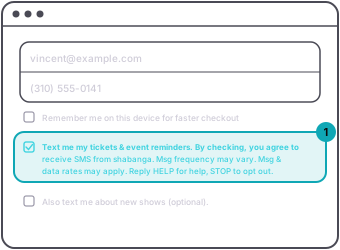
On the web, type your number in the phone field, then tick Text me my tickets & event reminders. The box has to be ticked. A number on its own sends nothing.
Web
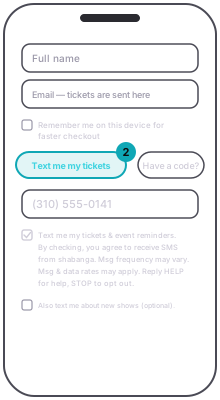
In the app, press Text me my tickets. A Phone field opens with that box already ticked. Untick it if you do not want texts.
App
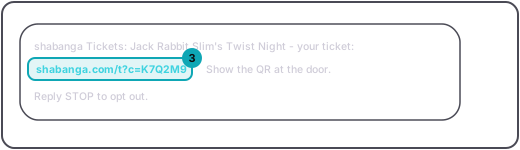
The text comes from shabanga Tickets with a link that opens your tickets. Show the QR at the door. Reply STOP to opt out.
Guest
A second box, Also text me about new shows (optional), is separate. Leave it empty and you still get your tickets by text.
AppCheckout › Text me my tickets › PhoneWebCheckout › Phone (optional) › tick Text me my tickets & event remindersGuestA text from shabanga Tickets with a link to your tickets. Show the QR at the door.